[ Kirana & grocery stores ]
Kirana store billing software that understands loose items and Khata
A kirana counter is not a supermarket till. In the same five minutes you sell a packet of biscuits with a barcode, two and a half kilos of rice that has no barcode at all, and a month’s groceries to a regular customer who will pay on the first. Billing software built for barcoded packaged goods struggles with all of that.
Store Mitr was designed around how a kirana actually runs: items sold by weight, items with no barcode, customers on credit, and an owner who wants to know at night whether the drawer matches the day.
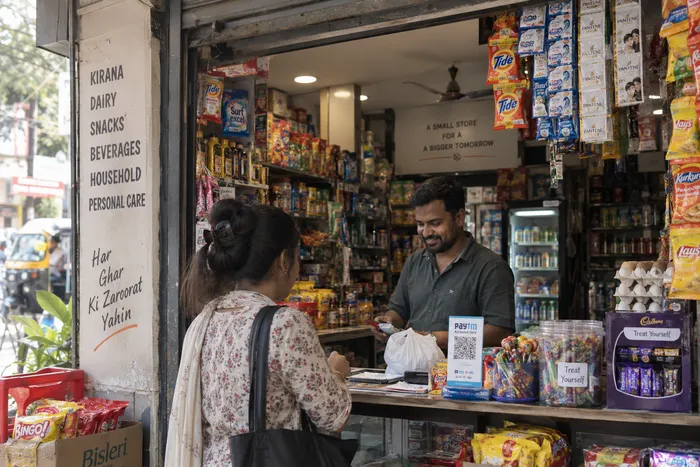
Loose items and packed items on one bill
Every product in Store Mitr is one of two kinds. A fixed product is sold by the piece or pack at one price — a packet of biscuits, a jar of homemade pickle. A variable product is sold by weight or measure — rice, sugar, chana dal, oil by the litre — with the price set per kg or per unit, and the quantity on the bill can be a fraction like 1.5 kg.
Separately, a product either has a barcode or it does not. Packaged goods are scanned with the phone camera; your own items and loose goods are found by typing a few letters of the name. A “no barcode” item is completely normal here — it is not treated as a workaround.
Khata without the notebook
Choose Khata as the payment type, enter the customer’s phone number, and the amount is added to what they owe you. Give a regular customer a credit limit and Store Mitr checks it every time you bill on Khata, showing how much credit is left before the bill goes through.
When they come to pay, record the collection with a note. Their balance drops, and the cash you received is counted when you close the day. Each customer has a profile with their purchase history and outstanding amount, so “how much does Sharma ji owe me?” takes seconds instead of a page-turn.
Knowing what to reorder before the shelf is empty
Set a low-stock level on the products that matter, like atta, oil and sugar. When the count reaches that level the product turns red in your Inventory list, and low stock also shows on the Home dashboard for owners and managers.
If a count looks wrong, Stock History shows every change — the earlier number, the adjustment, the final number, who made it and when. When you buy from a wholesaler you can record a purchase order and receive the goods against it, which adds the stock and keeps a record of what you paid for.
A fast counter at rush hour
Add items by scanning or search, pick Cash, UPI, Card or Khata, and confirm. For UPI, a payment QR for the exact bill amount appears on screen once you have added your UPI ID, and the money goes straight to your own account — Store Mitr never touches it. If you enter the customer’s number, the invoice goes to their WhatsApp automatically; if WhatsApp fails, the sale still stands and you can resend it from Sales History.
Closing the day with a number you trust
At night, count the drawer and enter the amount. Store Mitr compares it with the cash it expects — cash sales plus cash collected on Khata, minus the day’s expenses such as rent, salary, transport or packaging — and shows the difference. If a close needs fixing, you can reopen and edit it for the last seven days.
What Store Mitr does not do (yet)
So you can decide with the full picture:
- Store Mitr runs in the browser and needs an internet connection — offline billing is not available yet.
- It does not run an online store or handle delivery orders.
- It records how customers pay; it does not collect the payment for you.
Common questions
Can I sell rice or sugar by weight in Store Mitr?
Yes. Mark the product as variable, set the unit to kg and the price per kg, and bill any fractional quantity such as 2.5 kg.
Does Store Mitr replace my Khata notebook?
Yes for credit sales: each Khata sale is tied to the customer’s phone number, adds to their outstanding balance, respects a credit limit if you set one, and you record repayments against the same customer.
Do I need a barcode scanner for my kirana store?
No. You can scan barcodes with a phone camera, but you can also add products without a barcode and find them by name at the counter.